Building a Production-Ready REST API with Spring Boot
A practical Spring Boot REST API walkthrough: request validation, consistent error responses, a PostgreSQL schema, and health checks for deployment.
3 min read
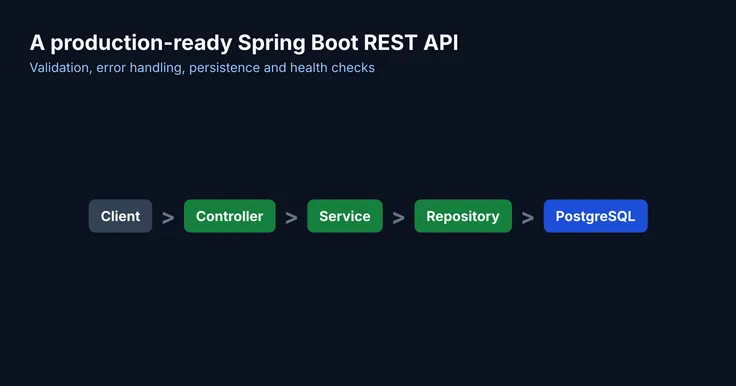
Getting a Spring Boot endpoint to return JSON takes five minutes. Getting it ready for real traffic takes a few more decisions. This post walks through the ones that matter most, using a small orders API as the example.
Project structure
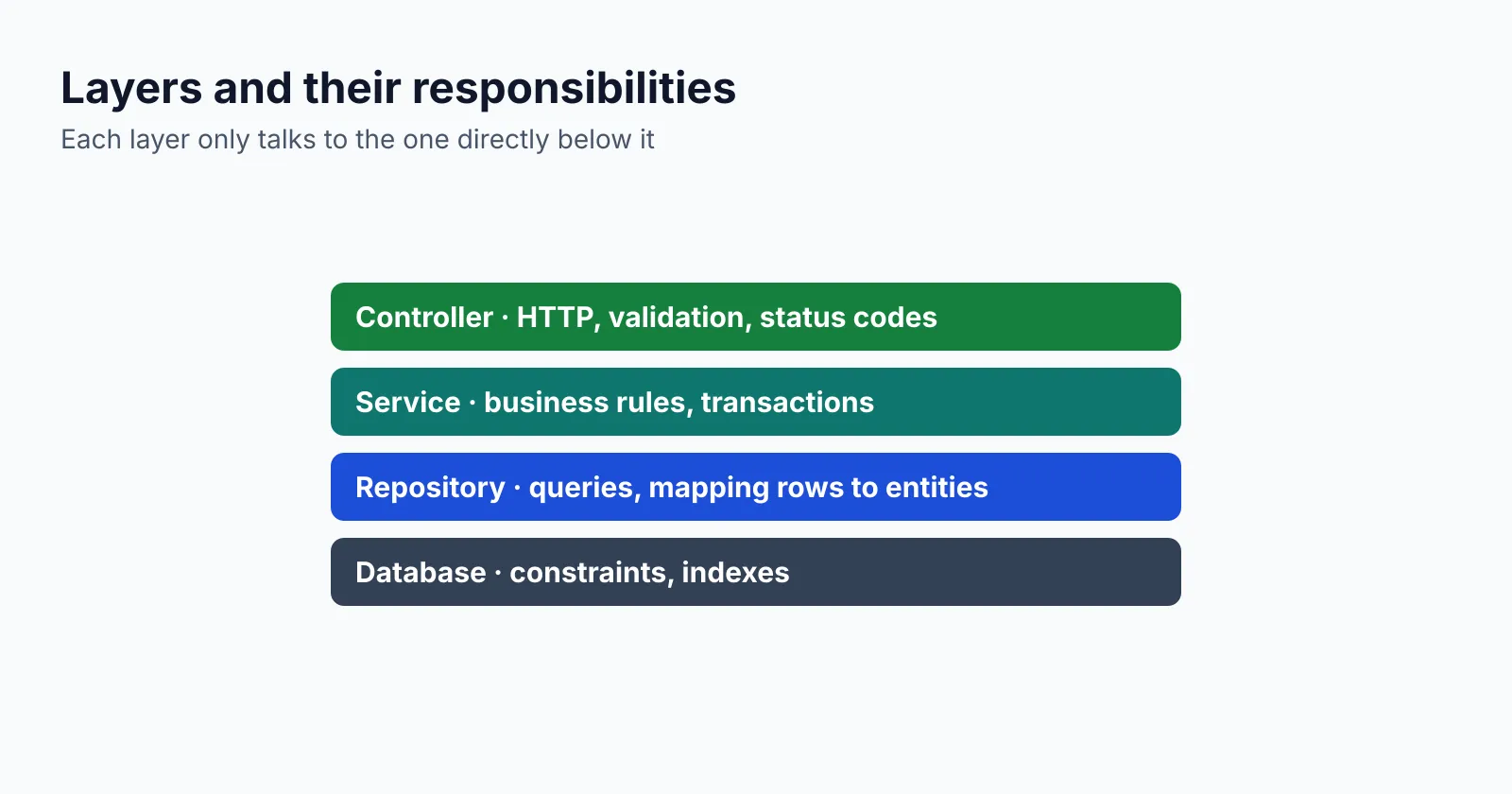
Keep each layer responsible for one thing. Controllers deal with HTTP, services hold the business rules, and repositories talk to the database.
Validating requests
Use a record for the request body and put the rules on its components. Invalid input is
rejected before your service code runs.
import jakarta.validation.constraints.NotBlank;
import jakarta.validation.constraints.Positive;
import jakarta.validation.constraints.Size;

public record CreateOrderRequest(
        @NotBlank @Size(max = 64) String customerId,
        @NotBlank @Size(max = 64) String sku,
        @Positive int quantity
) {}
The controller stays thin. @Valid triggers the validation and the method only translates
between HTTP and the service.
@RestController
@RequestMapping("/api/orders")
class OrderController {

    private final OrderService orders;

    OrderController(OrderService orders) {
        this.orders = orders;
    }

    @PostMapping
    ResponseEntity<OrderResponse> create(@Valid @RequestBody CreateOrderRequest request) {
        OrderResponse created = orders.create(request);
        return ResponseEntity
                .created(URI.create("/api/orders/" + created.id()))
                .body(created);
    }

    @GetMapping("/{id}")
    OrderResponse get(@PathVariable UUID id) {
        return orders.get(id);
    }
}
Consistent error responses
Clients should get the same error shape from every endpoint. Spring supports the RFC 9457
problem details format out of the box through ProblemDetail.
@RestControllerAdvice
class ApiExceptionHandler {

    @ExceptionHandler(OrderNotFoundException.class)
    ProblemDetail handleNotFound(OrderNotFoundException ex) {
        ProblemDetail problem =
                ProblemDetail.forStatusAndDetail(HttpStatus.NOT_FOUND, ex.getMessage());
        problem.setTitle("Order not found");
        return problem;
    }
}
A request for an order that does not exist now returns:
{
  "type": "about:blank",
  "title": "Order not found",
  "status": 404,
  "detail": "No order with id 7f9c2b1e-4c1a-4a53-9a55-0d7f3a2e9b10",
  "instance": "/api/orders/7f9c2b1e-4c1a-4a53-9a55-0d7f3a2e9b10"
}The database schema
Let a migration tool such as Flyway own the schema, and keep Hibernate in validate mode so the
application never changes tables on its own.
CREATE TABLE orders (
    id          UUID PRIMARY KEY,
    customer_id VARCHAR(64) NOT NULL,
    sku         VARCHAR(64) NOT NULL,
    quantity    INTEGER     NOT NULL CHECK (quantity > 0),
    status      VARCHAR(16) NOT NULL DEFAULT 'PLACED',
    created_at  TIMESTAMPTZ NOT NULL DEFAULT now()
);

CREATE INDEX idx_orders_customer_created
    ON orders (customer_id, created_at DESC);
The index matches the most common query, “latest orders for a customer”, so it can be answered without sorting.
Configuration
spring:
  application:
    name: orders-api
  datasource:
    url: jdbc:postgresql://localhost:5432/orders
    username: ${DB_USERNAME}
    password: ${DB_PASSWORD}
    hikari:
      maximum-pool-size: 10
  jpa:
    open-in-view: false
    hibernate:
      ddl-auto: validate
  mvc:
    problemdetails:
      enabled: true

server:
  shutdown: graceful

management:
  endpoints:
    web:
      exposure:
        include: health,info,metrics
  endpoint:
    health:
      probes:
        enabled: true
Three settings deserve a comment:
open-in-view: falsestops lazy loading from running queries while the response is being serialised.shutdown: gracefullets in-flight requests finish during a deployment.- Credentials come from environment variables, never from the file.
Health checks
With probes enabled, the actuator exposes separate liveness and readiness endpoints that a load balancer or Kubernetes can call.
curl -s http://localhost:8080/actuator/health/readiness{ "status": "UP" }Create an order to check the whole path, from validation to the database:
curl -s -X POST http://localhost:8080/api/orders \
  -H 'Content-Type: application/json' \
  -d '{"customerId": "c-1042", "sku": "LAPTOP-15", "quantity": 1}'
Checklist
- Request bodies are validated with
@Valid. - Every error uses the problem details format.
- The schema is owned by migrations and Hibernate only validates it.
- Secrets come from the environment.
- Liveness and readiness probes are exposed, and shutdown is graceful.